
Knowledge Base
Set up, operate, and troubleshoot Bomee products.
Step-by-step guides and quick references for studio staff and technicians.
Bomee Core Guides
Everything your studio team needs after activation — from first-time hardware setup to day-to-day operation.
For Technicians
Installation Guide
Step-by-step hardware setup for Bomee Core at your studio.
Full installation typically takes 30–45 minutes. Contact support for custom configurations.
For Studio Staff
Quick Operation Guide
How to operate Bomee Core after installation — reference for your team.
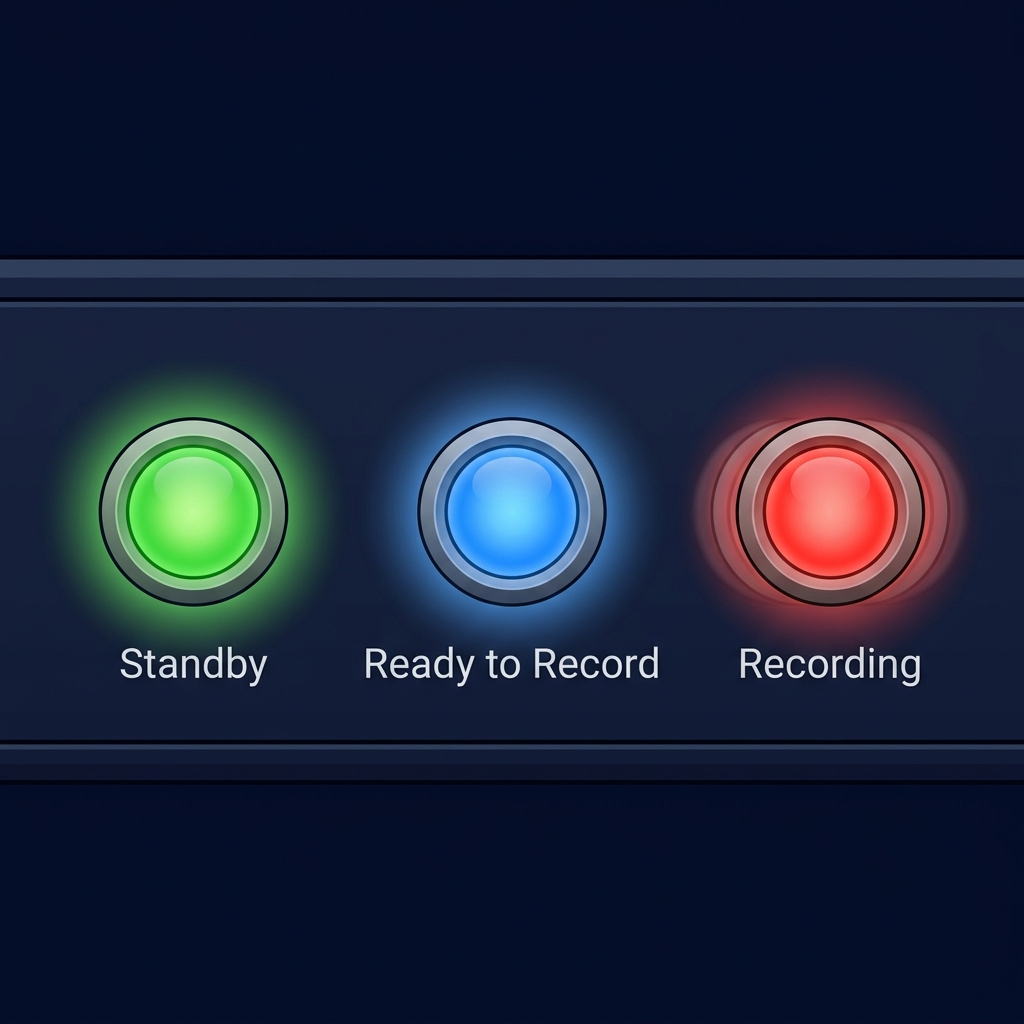
To Start and Finish Recording
Please check the status of the MomiBox.
Scan barcode.
LED turns ● Blue, speaker prompt: "Ready to Record"
Start motion on the ultrasound to begin recording.
LED turns ● Red, speaker prompt: "Recording"
Scan Finish QR.
LED turns ● Green, prompt: "Recording Ended"
→ The upload will automatically start.
Other Functions During Recording
Pause / Resume Recording
Scan the QR as needed:
"Pause" — LED ● Blinking Blue
"Resume" — LED ● Blinking Red
Capture Photos
Press the button on the photo clicker remote / wired button.
A "beep" sound will be heard from the speaker confirming each capture.
To verify upload & Hide/Unhide content
Check Admin Portal (upload speed depends on internet speed).
Feature by feature. See exactly what changes.
See how Bomee replaces fragmented, outdated workflows across every dimension of your studio.
Pricing that scales with your studio.
Every Bomee product comes in two flavors — usage-based pay-as-you-go, or a flat monthly fee with unlimited use. We'll match the model to your volume, your package mix, and your growth plan.
Replaces USB/CD/email delivery and auto-gifts every mom a free premium app subscription.
Usage-based
Pay per session delivered. New studios start small.
Flat monthly · unlimited
One predictable fee for unlimited sessions — best for high-volume studios.
Studios typically charge clients $15–$40 per generation — healthy margin from day one.
Per-generation
Pay per portrait, with volume bundles as you grow.
Flat monthly · unlimited
Generate as many portraits as you want, every session.
Available standalone in your browser — no Bomee Core required — or fully bundled inside the Admin Portal.
Standalone · prepaid credits
Use it on the web with no commitment. Free unlimited previews; credits unlock the watermark-free HD output.
Bomee Core · flat monthly
For Core studios — unlimited 8K upgrades on every session, in the Admin Portal.
How top studios package Bomee
Default in every package. Premium upsell in the higher tiers.
Top partner studios make Bomee Core the default digital delivery in every 2D and 3D/4D ultrasound package — replacing USBs and email entirely. Then they bundle BabyView AI and CrystalReveal into their premium tiers as the differentiator that justifies the higher price.
Mom satisfaction & repeat visits
Average revenue per session
Manual delivery hours
Operational simplicity